You can go live today with a phone, a stable connection and something to talk about. That’s it. That’s the minimum viable setup. A phone you already own, a Wi-Fi or mobile signal that doesn’t drop every ten seconds, and a topic you can carry for thirty minutes without staring at the wall. Everything else — the ring light, the capture card, the second monitor, the stream deck with the satisfying buttons — is optional, and most of it can wait until you’ve actually streamed a few times.
I know this because I did the opposite. When I first looked into how to start live streaming for beginners, I spent three weekends researching microphones I couldn’t afford and watching setup videos that made a single webcam look like a broadcast studio. Then I got impatient, opened an app on my phone, hit the button, and talked to four viewers for an hour. It was fine. It was better than fine, actually, because I finally learned what I actually needed instead of guessing. This article is the version of that experience I wish someone had handed me: the first decisions that matter, the first broadcast, and the short list of things worth upgrading later.
The First Three Decisions Before You Go Live
Before you buy anything or download anything, make three decisions. They take about ten minutes total, and they prevent the most common beginner mistake: building a studio for a show you haven’t figured out yet.
Decision one: what is the stream actually about? Not the genre — “gaming” or “chatting” is too vague to help you. The useful version is a sentence you could say out loud to a friend. “I play one ranked match and explain every decision I make.” “I cook one recipe from a cookbook I’ve never opened.” “I answer questions about learning guitar and play whatever gets requested.” When your topic is that specific, everything else gets easier. You know what to prepare, how long the stream should run, and what to say when the chat is quiet. If you can’t write that sentence yet, that’s your real first task — not the gear.
Decision two: where will you stream? The platform shapes your audience and your format more than any piece of equipment. Some platforms reward long sessions and steady schedules; others favor short, punchy clips that get discovered later. Some are built around gaming, others around conversation, music, or creative work. The honest advice for a beginner is to pick one platform and commit to it for a month rather than spreading yourself across three at once. You can always move later. What you can’t easily do is build momentum in five places simultaneously.
Decision three: how often, and for how long? Pick a schedule you can keep on your worst week, not your best one. Two evenings a week for an hour beats a heroic five-hour marathon followed by three weeks of silence. Consistency is the one advantage a beginner can actually control, because it doesn’t cost money and it doesn’t require skill. It just requires choosing a slot small enough that you won’t resent it. Write the schedule down somewhere you’ll see it. Treat the first month as a rehearsal, because that’s what it is.
Notice what’s missing from those three decisions: cameras, microphones, lighting, software, overlays, alerts, and whether your chair is ergonomic. None of that is a decision yet. It’s shopping, and shopping is the most comfortable way to avoid going live.
Your First Broadcast and What to Fix Later
The first broadcast has one job: to end. Not to be good, not to go viral, not to prove anything. Just to start, run for a while, and stop. If you finish it, you’ve done the hard part, because the gap between “person who wants to stream” and “person who has streamed” is entirely psychological.
Here’s a practical way to run it. Set a timer for thirty minutes. Say hello at the start even if nobody’s watching — recordings and replays get viewed later, and an opening that assumes an audience reads better than silence. Talk through what you’re doing, because narration is a skill you build by doing it badly first. If someone types in chat, answer them by name. If nobody does, keep going; dead air is normal at the beginning and it stops feeling strange after the third or fourth stream. When the timer ends, say goodbye, end the stream, and close the laptop. Don’t rewatch it that night. Give it a day.
Then, when you do rewatch it, watch with one question in mind: what annoyed me? Not what looked unprofessional — what actually bothered you as a viewer. Maybe the audio was echoey because you streamed in a bare room. Maybe the game audio drowned out your voice. Maybe you kept losing track of what you wanted to say. Each annoyance is a specific, small, fixable thing, and that list is worth more than any generic beginner setup guide, because it’s about your stream, not someone else’s.
For most people, the first fix is audio. Viewers will forgive a soft, grainy picture far more readily than they’ll forgive harsh sound or a microphone that clips every time they laugh. You don’t need an expensive microphone to improve this. You need to move the one you have closer to your face, soften the room a little — a rug, a curtain, a bookshelf — and listen to a test recording before you go live. That single habit of testing audio for thirty seconds before each stream will do more for your production quality than any purchase in your first three months.
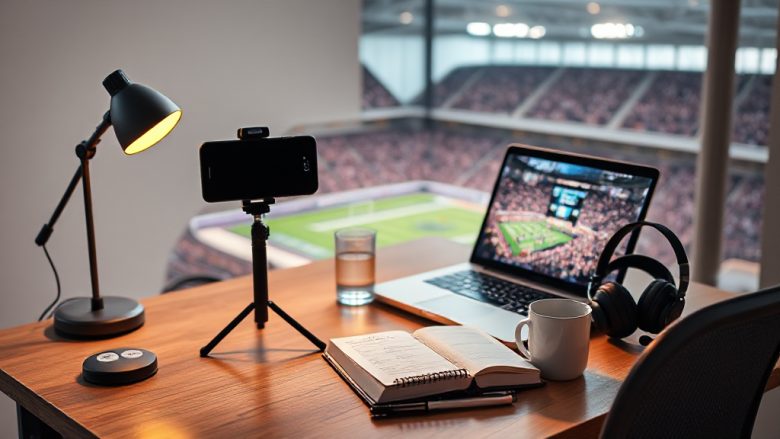
The second fix is usually light. A cheap desk lamp aimed at your face, positioned so it isn’t behind you, solves most of the problem. The third is framing: camera roughly at eye level, head and shoulders in view, nothing embarrassing in the background. None of this is expensive. All of it is the kind of thing you only notice once you’ve watched yourself back.
What you should deliberately ignore for now: fancy overlays, animated alerts, multiple scenes, donation goals, merchandise, and the entire culture of comparing your first stream to someone’s thousandth. That comparison is rigged and you know it. The streamers you admire have years of reps you can’t see, and their setups grew one problem at a time, exactly like yours will.
There’s also a quieter thing worth doing in the first month: showing up for other people’s streams. Watch small streamers in your category, chat genuinely, and pay attention to what makes their broadcasts easy or hard to watch. It’s the fastest free education available, and it builds the habit of being a participant rather than a performer. Most of what I know about pacing, silence, and reading a room came from watching people with twenty viewers, not twenty thousand.
By the end of a month of this — eight or so short streams, each one slightly less awkward than the last — you’ll have something no article can give you: your own list. You’ll know whether you actually enjoy going live, what your voice sounds like when you’re comfortable, which parts you dread, and which upgrades would genuinely help. That’s the point where spending money makes sense, because now you’re buying solutions to problems you’ve actually had.
Until then, the minimum viable setup stands: a phone or a basic webcam, a connection that holds, and something to talk about. You don’t need permission, a perfect room, or a plan for the next five years. You need to press the button once, survive thirty minutes, and do it again next week. The rest is just iteration, and iteration is something you can only start by starting.