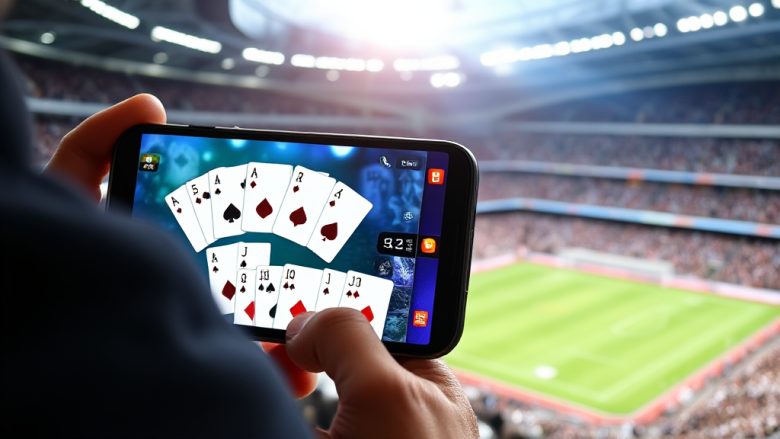
How Win Rummy Apks Apps Feel on Older and Mid-Range Phones
Your palm knows before your brain does. Ten minutes into a hand on a three-year-old phone, the back of the device turns warm, the screen dims a notch, and the card animations start to stutter. That small physical signal is the most honest review a Rummy Game Online app will ever get. If you are comparing download links and wondering whether a particular build will run smoothly on the phone you already own, the answer depends less on the brand name and more on how the app handles heat, memory and battery on modest hardware.
This is a hands-on look at how apps marketed around the Win Rummy Apks term behave on older and mid-range Android phones. The focus is on what you feel in your hand: warmth, lag, battery drain and loading time. No benchmark charts, no promises borrowed from flagship-device reviews.
What Older Phones Actually Struggle With in Card Apps
A rummy app is not a heavy 3D game, but it is not a static document either. It keeps a live connection to a table, redraws cards, plays short sounds and animates chips and timers. On a phone with 2GB or 3GB of RAM, those small tasks compete with the operating system and whatever messaging apps are running in the background.
The first thing most people notice is not a crash. It is a half-second delay between tapping a card and seeing it lift. That delay is usually memory pressure, not a slow internet connection. The second thing is warmth near the camera module after a few rounds, which is the processor working harder to keep the table in sync.
The three pressure points
- Memory pressure from too many background apps, which makes card selection feel sticky.
- Thermal throttling after ten to fifteen minutes, which lowers animation smoothness.
- Battery drain from a constant connection and screen-on time, which is worse on older cells.
None of these are deal-breakers on their own. Together they explain why the same app can feel crisp on one phone and sluggish on another. If you are browsing a directory of Online Rummy Apks, it helps to read the size of the download and the stated requirements before installing anything.
How Apps Behave on Phones Three to Five Years Old
On a phone from around 2021 to 2023 with 3GB of RAM, a typical rummy build opens in about five to eight seconds on first launch and two to three seconds afterwards. The lobby scrolls fine. The table loads, but the first hand often shows a brief stutter while the app caches card images.
After about ten minutes, the back of the phone is noticeably warm but not uncomfortable. After twenty minutes, you may see the screen dim slightly as the system protects itself. That dimming is normal and is not a sign that the app is broken. What matters is whether taps still register accurately when the phone is warm. In most builds, they do, though animations become less fluid.
Battery and heat in plain terms
A 30-minute session on an older phone can use roughly the same battery as 20 to 25 minutes of video streaming. That is not a precise figure for every device, but it is the right mental model: rummy is a screen-and-connection app, so it drains faster than reading and slower than a 3D game.
If the phone already runs warm during calls, a card app will amplify that. Playing with the case off and the screen brightness at around 60 percent makes a visible difference. So does closing apps you are not using before you sit down to play.
Users who also try other card formats often notice that 3Patti Apps Onlines builds tend to be lighter on older hardware because they render fewer table elements at once. That is a useful comparison point when you are deciding which app to keep installed on a secondary phone.
Mid-Range Phones: Where the Experience Settles
On a mid-range phone with 6GB or 8GB of RAM, the experience changes character. The app opens quickly, the lobby is smooth, and the first hand does not stutter. Heat is still present after fifteen minutes, but it is mild and spread across the back rather than concentrated in one spot.
This is the hardware tier where the differences between apps become easier to judge. A well-built app keeps animations consistent for a full session. A poorly optimised one still shows occasional frame drops when the table is full or when chat and emoji features are active.
What to watch in the first ten minutes
- Time how long the app takes to reach the lobby on a cold start.
- Play one full hand and notice whether card taps feel immediate.
- Check the phone’s warmth after ten minutes, not after one.
- Look at battery percentage before and after a 20-minute session.
These four checks tell you more than any store description. They also help you compare builds fairly when a portal lists several options, including an Online Yono Apk alongside rummy titles. The same phone, the same session length, the same brightness: that is a fair test.
Mid-range phones also handle background switching better. If you answer a message and return to the table, the app usually resumes without reloading. On older phones, that same switch can cost you a few seconds and sometimes a reconnect.
Practical Advice Before You Install Another Card App
The most useful habit is to keep one card app installed at a time while you are testing. Two or three similar apps on a 3GB phone compete for storage and background memory, and the phone runs warmer even when you are not playing. Once you know which one feels right, remove the rest.
Check the download size before you commit. A build that is noticeably larger than its competitors often carries heavier graphics that older phones will struggle to render smoothly. If the listing mentions bonus or withdrawal details, read those separately from performance claims, because a generous offer does not make an app lighter on your device.
Players who enjoy variety sometimes keep a second app for a different format, such as a Teen Patti Bonus build or a Bingo 101 APPS title. That is fine on a mid-range phone, but on an older device it is better to rotate apps than to run them side by side.
Small settings that make a real difference
- Lower screen brightness to around 60 percent for long sessions.
- Turn off vibration feedback if the app allows it; it costs battery and adds heat.
- Close background apps before you start, especially video and map apps.
- Play on a hard surface rather than a soft cushion, which traps heat.
If you are comparing several titles at once, a directory that groups All Rummy Game listings by size and requirements saves time. The same applies when you look at a 3Patti New All Apk entry: check the file size first, then the features.
One more practical point: install updates over Wi-Fi and let the phone cool before a long session. Installing an update while the phone is warm is a common reason people blame the app for lag that is really thermal.
Finally, treat the first session as a test rather than a marathon. Play for fifteen minutes, put the phone down, and notice how it feels. If the warmth fades quickly and the battery drop is modest, the app is a reasonable fit for your device. If the phone stays warm for several minutes after you close the app, that build is asking more from your hardware than it can comfortably give.
For players who want to compare a Win Rummy Online build against a 3Patti Apk Online alternative, the same test applies. The format changes; the physics of heat, memory and battery do not.
Frequently Asked Questions
Why does my phone get warm after ten minutes of rummy?
The app keeps a live connection and redraws the table continuously, which keeps the processor busy. On older phones, that work produces noticeable warmth near the camera. It is normal, but closing background apps and lowering brightness reduces it.
Is lag caused by my internet or by my phone?
If taps register late but the cards still move smoothly, it is usually memory pressure on the phone. If the whole table freezes and then jumps forward, the connection is more likely the cause. Testing on Wi-Fi and mobile data separately helps you tell the difference.
Can a mid-range phone handle two card apps at once?
Yes, on 6GB or 8GB devices it is usually fine. On 3GB phones, keeping two similar apps installed tends to make both feel slower and the device warmer. Rotate apps instead of running them side by side.
Does a larger download always mean worse performance?
Not always, but it is a useful signal. Bigger builds often carry heavier graphics that older phones render less smoothly. Check the size before installing and compare it with similar titles.